HRme app icon

Your hours, on the record

Know exactly what your extra hours are worth.

HRme tracks your working day on iPhone, shows how much unpaid overtime you’ve built up, and puts a price on it from your own salary. No account, no cloud: it all stays on your phone.

iPhone appComing soon to the App Store See how it works
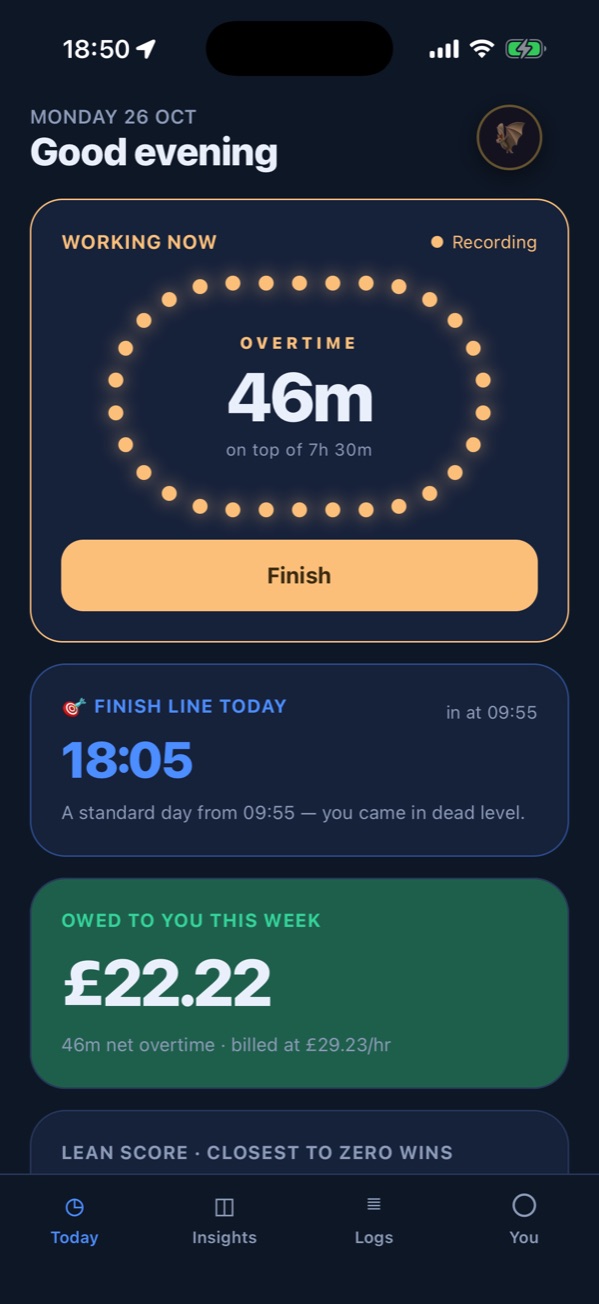
HRme's Today screen on an iPhone: working now, 46 minutes of overtime on top of a 7h 30m day, a finish line of 18:05, and £22.22 owed to you this week

How it works

Set it up once. Then just clock in and out.

  1. 01

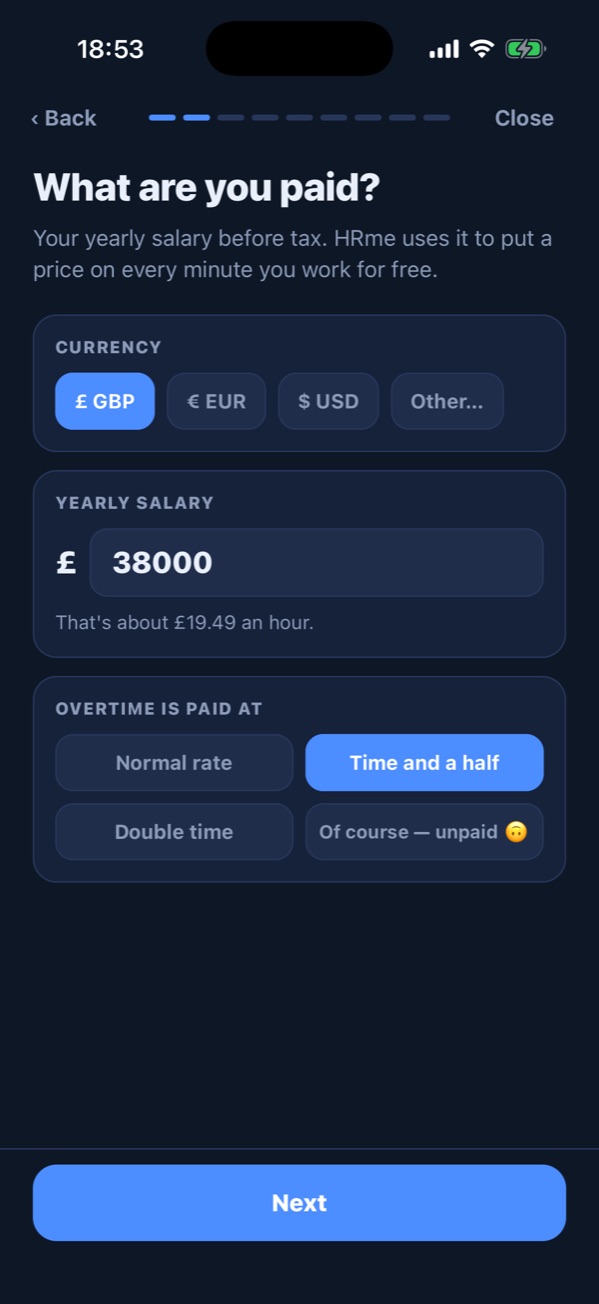
    Tell it your deal

    Your contracted weekly hours, your salary, your lunch break and whether it’s paid, and your overtime rate. It takes a minute.

  2. 02

    Log your day

    Start and stop the clock with a tap, add breaks, or let HRme remind you when you arrive at work. Nothing is ever logged without your say-so.

  3. 03

    See what you’re owed

    HRme keeps a running total of the extra time you’ve given, in hours and in money, and shows when you can leave to finish the week square.

A look inside

Built around one question: what has your time been worth?

Features

Everything you need to keep your hours honest.

Overtime maths

Every unpaid minute has a price

HRme works out your hourly rate from your salary and contracted hours, then values your extra time at normal rate, time and a half, double time or your own multiplier. Lunch is deducted unless it’s paid. Pick your currency from a full world list.

Salary£38,000 / year
Contract37.5 h / week
Hourly rate£19.49
Overtime this week × 1.52h 10m
Owed to you£63.33

Home Screen widget

Your day at a glance

Small and medium widgets show whether you’re working, the time worked against your target, your suggested leave time and your week’s balance. They keep counting while the app is closed.
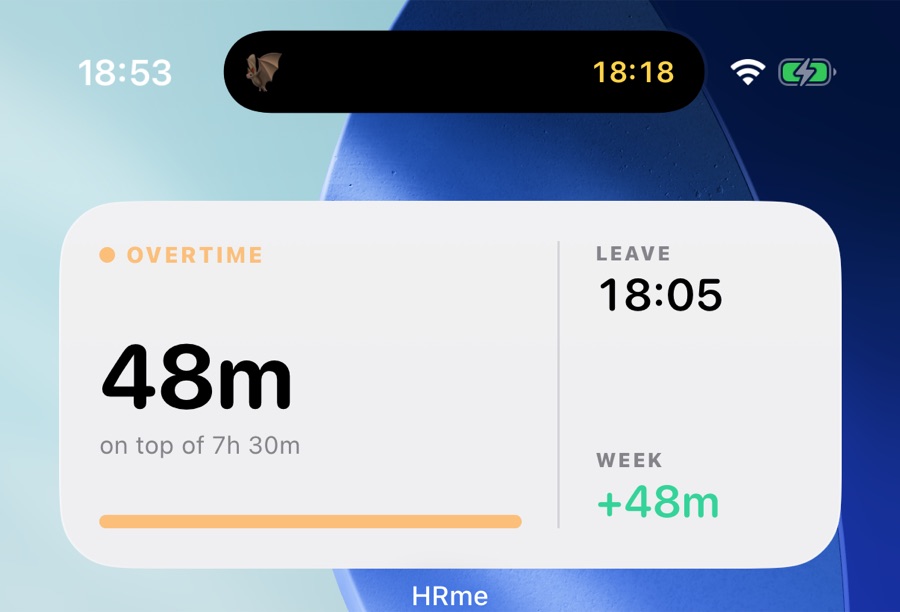
HRme's medium Home Screen widget: 48 minutes of overtime on top of 7h 30m, leave at 18:05, week +48m, with a Bat mode countdown in the Dynamic Island above it

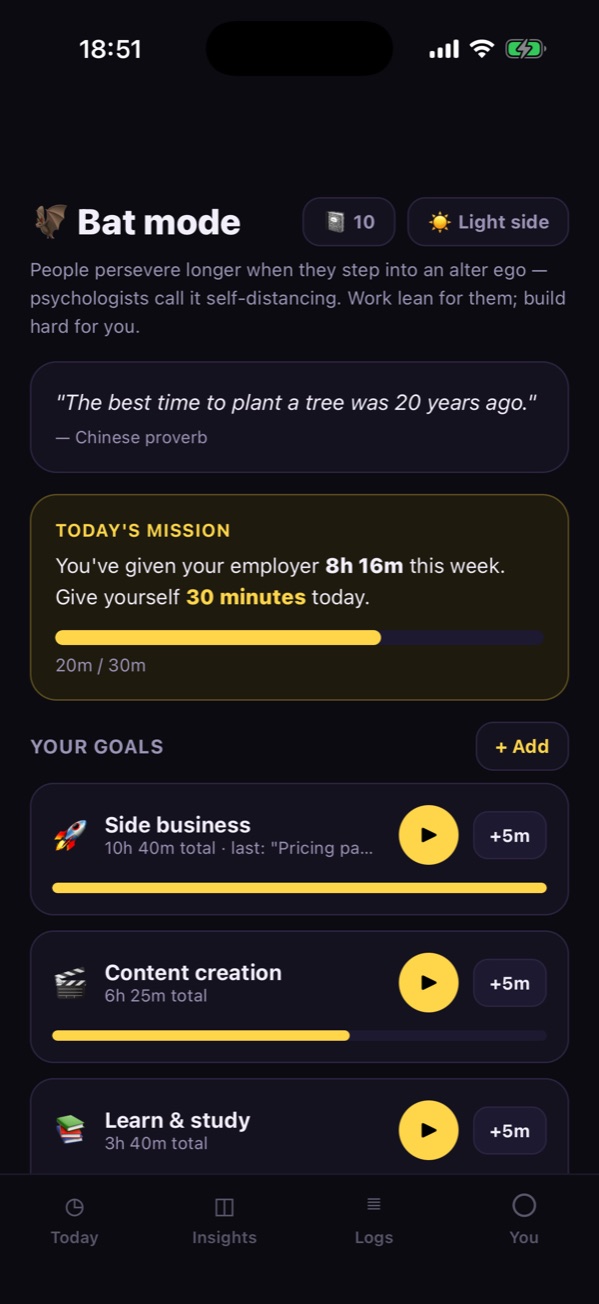
Bat mode

Time for you, not them

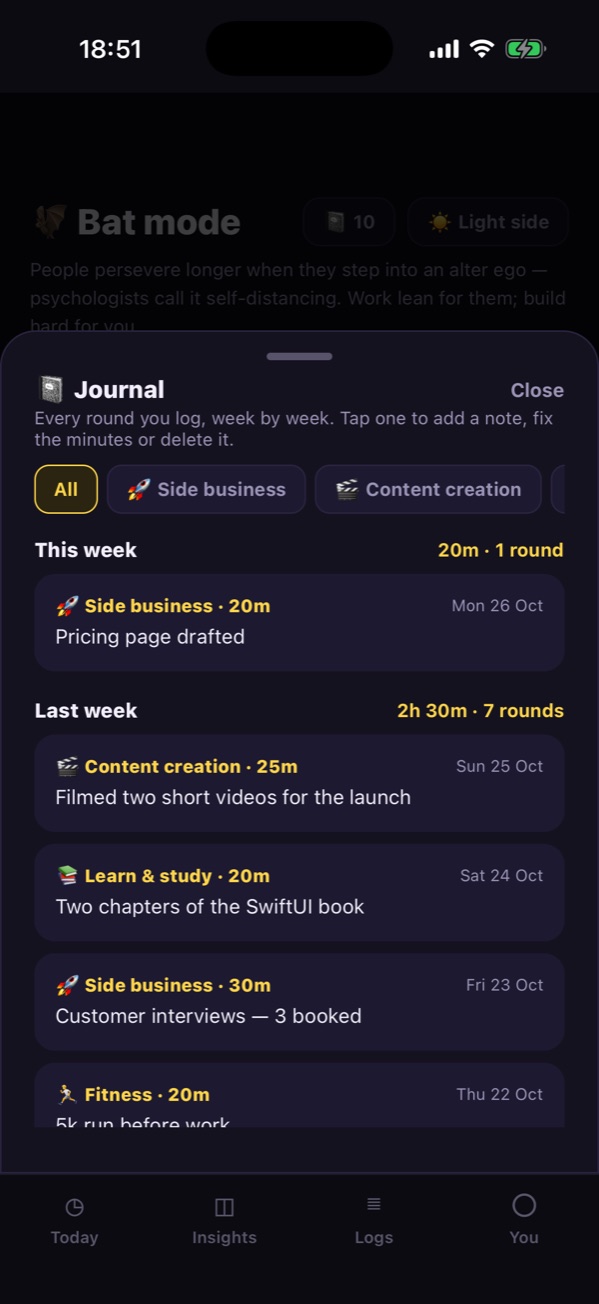
Bat mode is a focus timer for your own goals: a side business, study, fitness, or anything you name. Run timed rounds, keep notes, build a streak and earn badges. The countdown sits in the Dynamic Island and on the Lock Screen as a Live Activity.
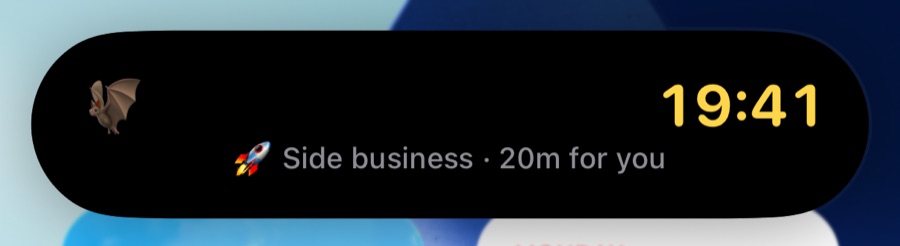
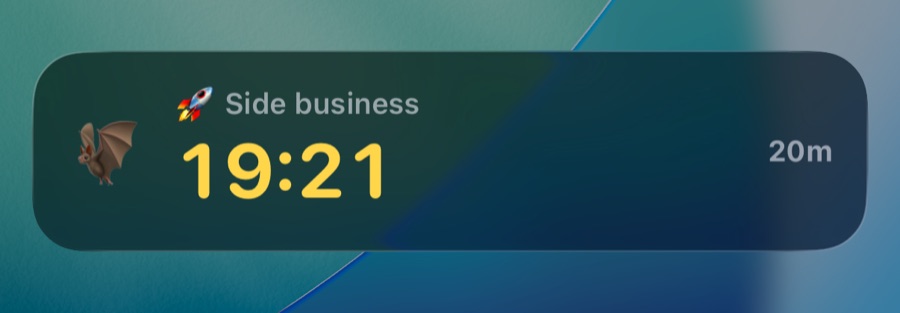
The expanded Dynamic Island during a Bat mode round: 19:41 left, Side business, 20 minutes for you The same countdown as a Live Activity on the Lock Screen: Side business, 19:21 left of 20 minutes

Reminders

A nudge at the finish line

Optional alerts before your finish line, when you reach it, and once you’re into unpaid time, plus a start reminder for days you work from home.

Work locations

Prompts when you arrive

Save your workplaces and HRme can ask you to start or stop the clock as you arrive or leave. You confirm with a tap; it never logs time on its own.

Insights

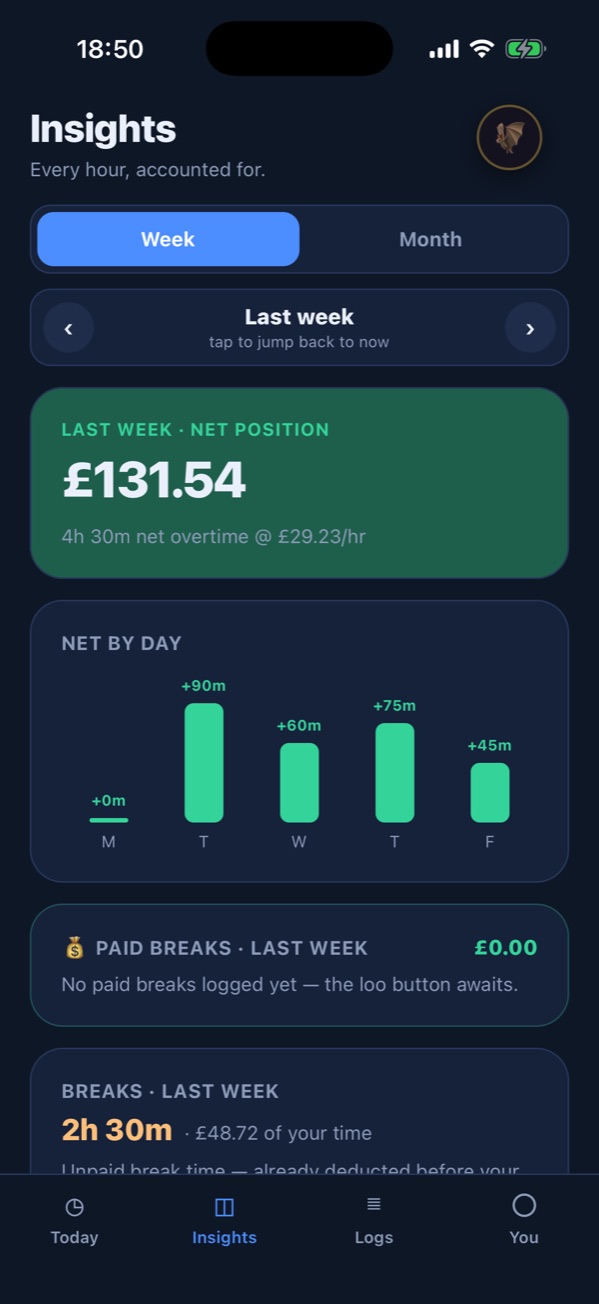
Weeks and months in review

Swipe through past weeks and months to see hours worked, overtime, time and money spent commuting, and the commutes you saved by working from home.

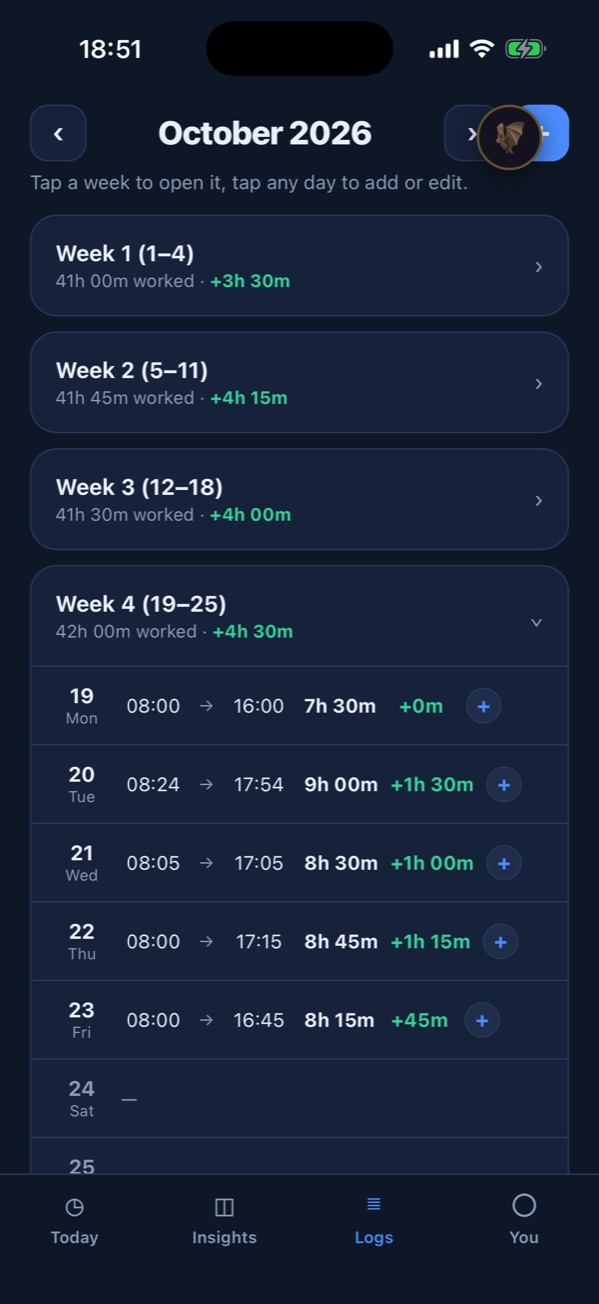
Logs

A record you can stand behind

Edit any day, add several sessions, paid breaks and time away, mark work-from-home days and time off. From the You tab, export your hours as a PDF or spreadsheet for any date range.

  • Multiple sessions
  • Paid breaks
  • Time away
  • Work from home
  • Time off
  • PDF
  • Spreadsheet

Private mode

Hide your salary

Turn on private mode to blur money on screen, so you can check your hours at your desk without showing what you earn.

Privacy

Your hours stay on your phone.

HRme has no servers to send your data to. Your timesheet, salary and workplaces live in the app on your iPhone and nowhere else.

Read the privacy policy
  • No accountOpen the app and start. No sign-up, no login.
  • No analytics or trackingNo ads, no trackers, no usage data collected.
  • Location on device onlyArrival prompts are worked out on your iPhone, only if you turn them on.
  • Your data, your exportShare a PDF or spreadsheet only when you choose to.

Put your hours on the record.

HRme is coming soon to the App Store for iPhone.

iPhone appComing soon to the App Store